Guide
How do I redeem my premium key
tip
If you haven't bought one yet, you can buy one for as cheap as $2.49 here
- After you've bought a premium key, you need to redeem it first otherwise it will not work. To redeem your key follow the steps below:
1. Navigate to the premium control panel channel
2. Press on "Redeem Key"
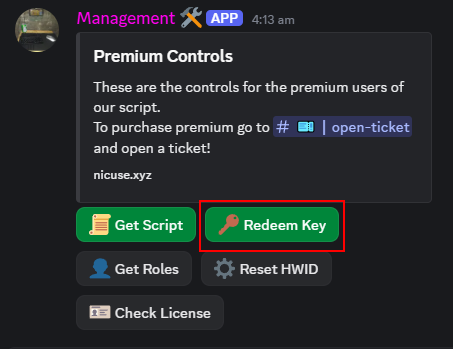
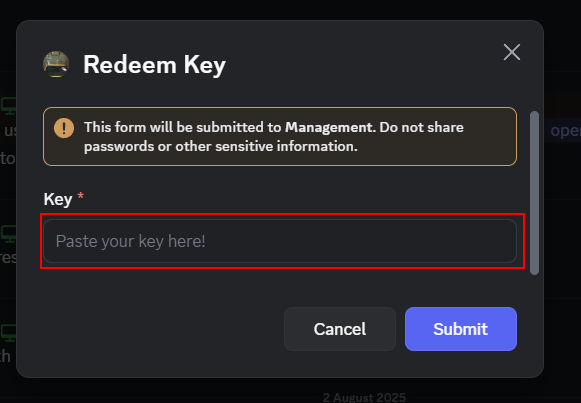
You will need to paste your key in the highlighted textbox, and press Submit
How to start using premium
1. Get your script:
- In order to retrieve your premium script you need to navigate to the premium control panel channel.
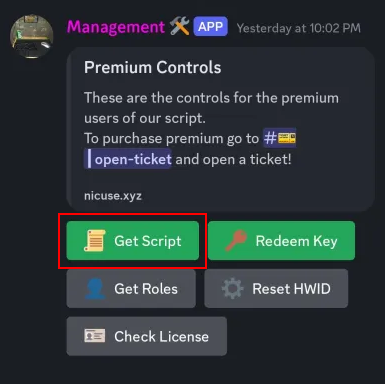
Step 1: Press on "Get Script"
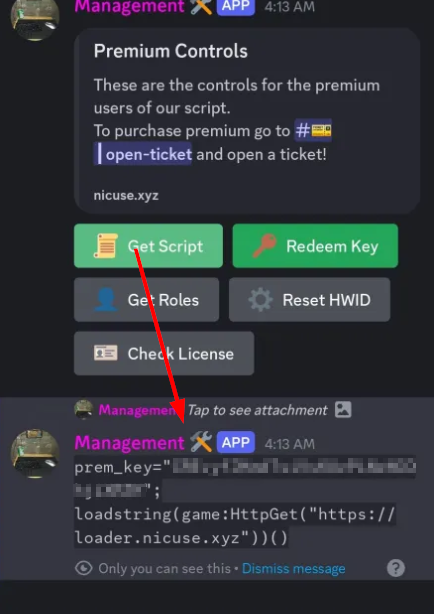
Step 2: Copy your script
2. Execute your script:
- In order to execute your script, you will need an executor (i.e.: Delta, Wave). It is recommended to use a supported executor or the script may not function properly.
- Paste the script into your executor and press the Execute button.
If all done correctly, the script will successfully load and you can do whatever you want with it.